A robot can copy a task in a lab and still fail when the object moves, the light changes, or a person steps nearby. The next generation of training robots will be judged by how well they learn from varied work, not by how smooth one recorded demo looks.
Quick read
- Training data comes from cameras, sensors, software, and people guiding the robot.
- Simulation can create many practice runs, but real hardware still finds faults.
- A useful training system records failures and turns them into safer repeat tests.
What a training robot needs to learn
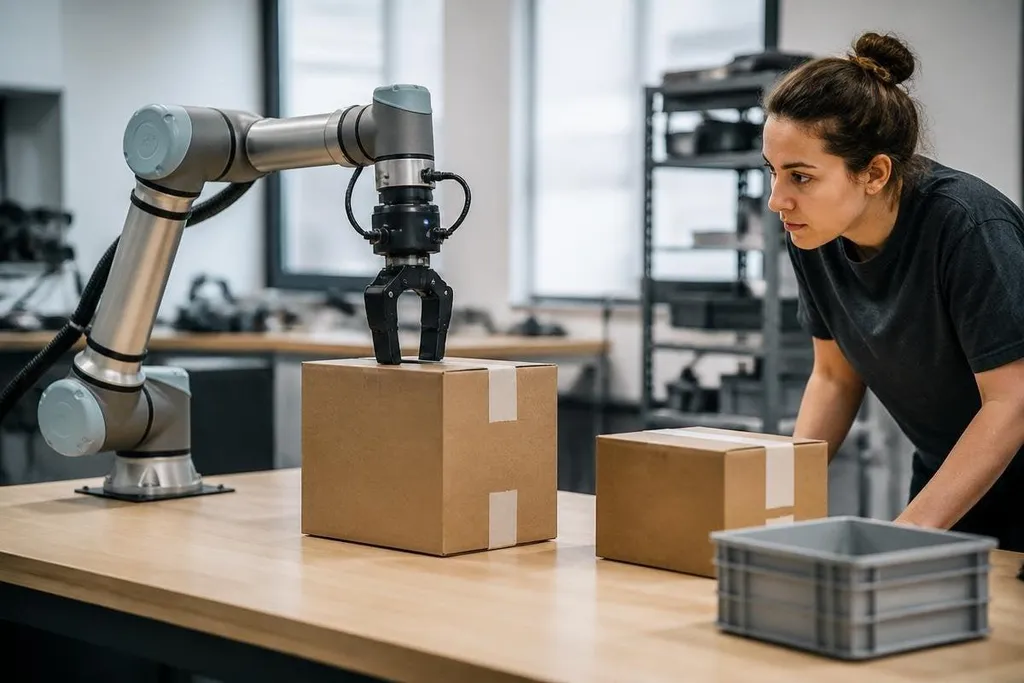
A training robot needs examples that connect an action to a result. It may see a box, move an arm, close a gripper, and check whether the box stayed in place. That chain gives the robot more useful information than a video of a person doing the task.
The robot also needs to sense changes. A box may sit a few centimeters away from its expected position. A soft object may bend under pressure. A floor may reduce the grip under a wheel. Cameras, force sensors, joint sensors, and microphones can give the control system more detail about each attempt.
This data is often paired with a control policy. That is the set of rules a robot uses to choose its next movement. During training, the policy receives a target, takes an action, and gets a score based on the result. A good score can mean the object reached the right place. A bad score can record a drop, a collision, or an unsafe movement.
The score needs care. If the system rewards speed alone, the robot may move too hard. If it rewards a perfect position but ignores contact force, it may damage the object. Training work is partly a software task and partly a safety task.
Simulation helps, but hardware decides
Simulation lets a team test movement without wearing out motors or risking a person’s hand. It can vary object positions, floor surfaces, lighting, and sensor noise. That gives the policy more practice before the robot touches physical equipment.
The gap between software and hardware still matters. A simulated gripper may close at the expected speed, while the physical gripper has delay, cable flex, or less grip. A wheel may roll cleanly in software, while dust changes its traction on the floor.
Teams often move between simulation and physical tests. The robot learns a movement in software, tries it on hardware, records the error, and sends that result back into training. This process works best when each failed attempt has a clear cause and a safe way to repeat it.
Training results need a record of the robot, task, test date, and changes made after each failed run. Robot24.com's robotics training coverage can place those details beside the training method, so you can see how software work affects physical tests. The next question is who decides which examples the robot learns from.
People still shape the training set
Human guidance can give a robot examples that software would struggle to create. With teleoperation, a person controls the robot from another console while the system records the arm path, sensor data, and task result. Those records can teach the robot how to move around objects and recover from small errors.
The quality of those records matters. A training set with only clean successes leaves the robot poorly prepared for slips and blocked paths. A useful set includes safe recovery actions, clear failure labels, and enough variation to show what the robot should do next.
Privacy and safety also belong in the training plan. Cameras in a workplace may record people, badges, screens, or customer information. Access rules, data storage limits, and clear signs can reduce that risk before the first trial starts.
I'd judge a training robot by its failure records before its best demo. A system that logs why a task failed gives its team something they can fix.
A practical check before deployment
Use this checklist when you compare a training system or plan a pilot:
- Name the task: Write the exact object, motion, handoff, and success condition.
- Record the sensors: List every camera, force sensor, joint reading, and safety input used during training.
- Test small changes: Move the object, alter the lighting, and change the surface before calling the task ready.
- Log failures: Save the robot’s action, sensor readings, error type, and recovery result for each failed run.
- Set a stop rule: Define the contact force, speed, distance, or fault that stops the robot.
- Check the data: Remove personal information and limit access to stored recordings.
The next useful step is a small physical trial with a task that has a clear pass condition and a safe reset. Until a training system handles ordinary variation without constant human correction, its value remains a lab result rather than a finished automation tool.